How to Win Any Hackathon
 Jonas Scholz
I met some of my best friends at hackathons and financed my college degree with prizes. The two things that helped me most were a short feedback loop and a template I already knew how to use.
Neither guarantees a win. But both leave more of the weekend for the actual idea instead of project setup. Here is the workflow behind my open-source hackathon starter.
Make feedback cheap
The feedback loop is the time between changing the code and someone else seeing the result. Waiting for a deployment after every small change makes that loop longer. Asking every non-technical teammate to install the project is not much better.
For a hackathon demo, I share a local preview. In the original project I used the Livecycle Docker extension to expose a local container through a shareable URL:
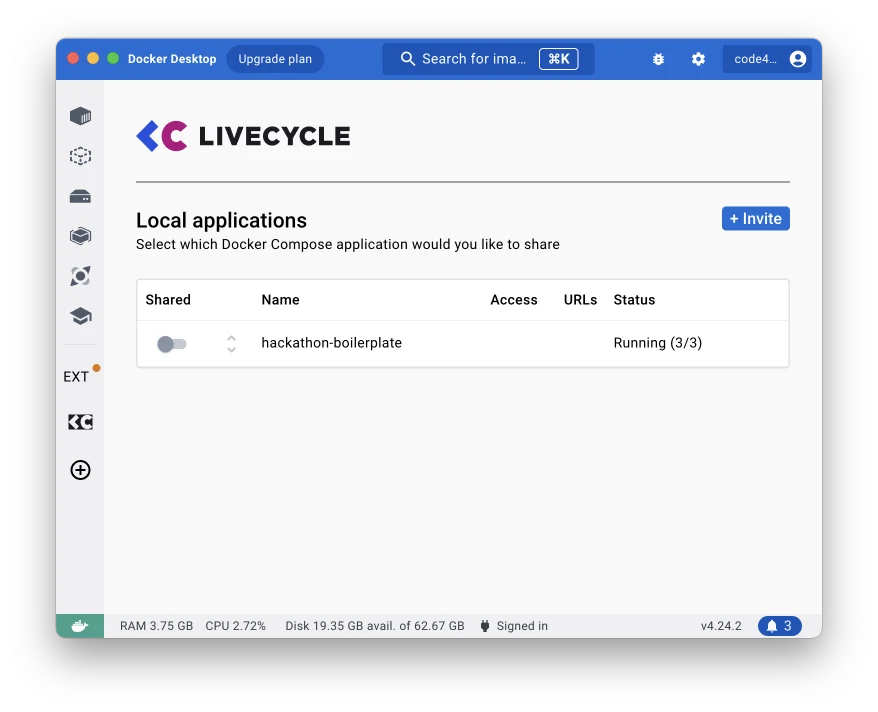
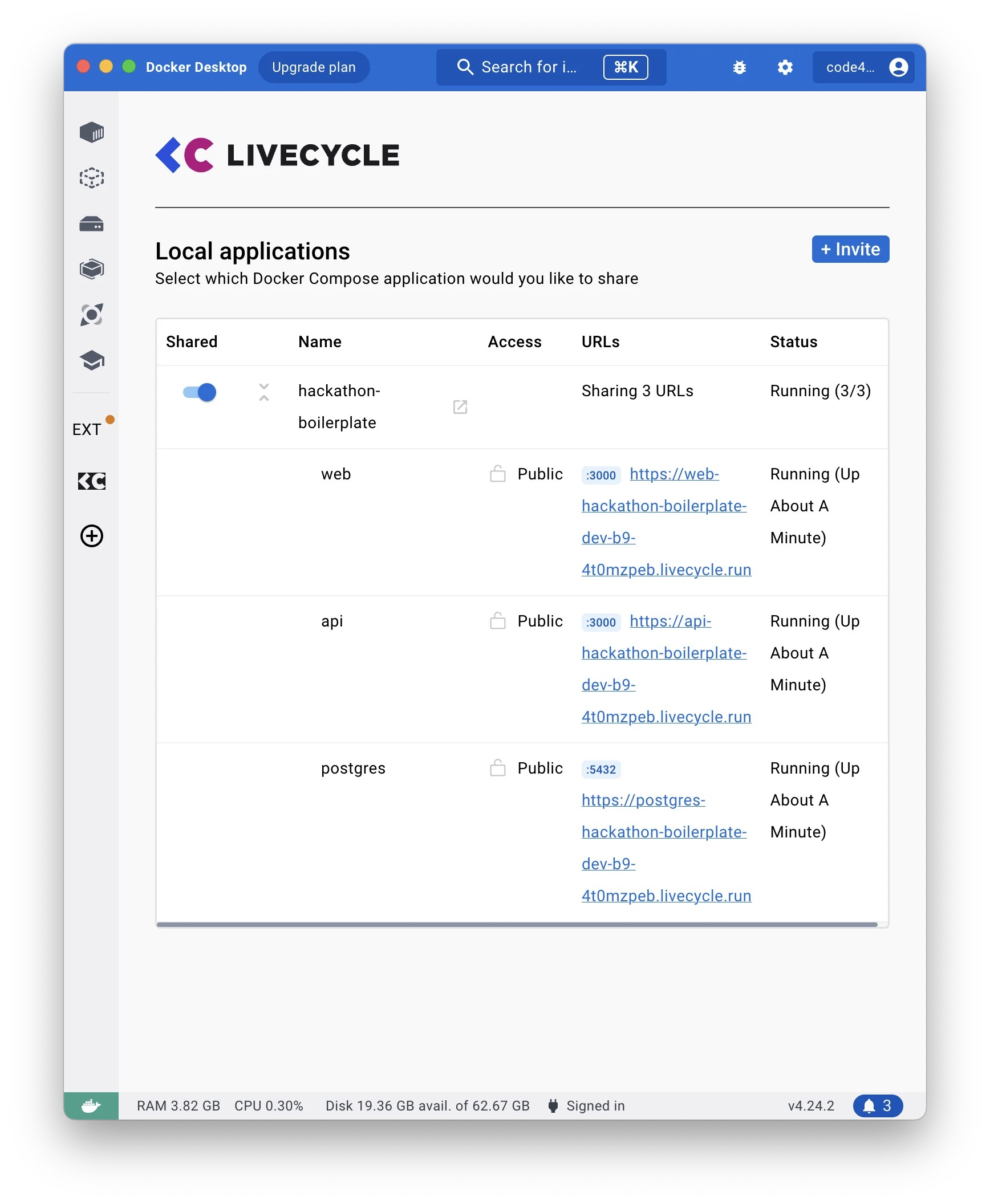
These screenshots show the original setup. A tunnel or a preview deployment can serve the same purpose. Check the tool before the event and share only the app you intend to demonstrate, not a database or an admin interface. Use demo data when the preview is public.
The useful part is not a particular tunneling product. It is letting your teammate test the flow while you are still building it.
Bring a template you understand
My starter is a Turborepo monorepo with:
- Next.js for the frontend in
apps/web. - Hono for the API in
apps/api. - PostgreSQL and Prisma in
packages/database. - Tailwind and shadcn/ui components in
packages/ui. - Docker Compose for running the pieces together.
You could put the API in Next.js instead. I used a separate Hono app because I enjoyed working with it. The important part is knowing the setup before the clock starts. Check the event's rules about prebuilt code too.
The repository is a hackathon template from 2023, not a maintained production starter. Review its dependencies before exposing it, and do not use its demo credentials for real data.
Start the project
You need Docker Compose with Watch support, Node.js, and the pnpm version declared in the repository's packageManager field. Clone the project and install dependencies:
git clone https://github.com/Code42Cate/hackathon-starter.git
cd hackathon-starter
cp packages/database/.env.example packages/database/.env
pnpm install
There is a port mismatch in the original repository: the frontend calls http://api:3000, and Compose publishes container port 3000, but the API source sets PORT to 3001. In apps/api/src/index.ts, replace the port constant with:
const PORT = process.env.PORT ?? "3000";
Keep the existing serve({ fetch: app.fetch, port: Number(PORT) }) call. Port 3001 is the host port; it is not the API's port inside the container.
Start Postgres first, then generate the Prisma client and create the demo schema:
docker compose up -d postgres
pnpm --filter database db:generate
pnpm --filter database db:push
The example .env points at localhost:5432/hackathon, so those commands run on your host. The API container uses the Compose hostname postgres instead. db:generate creates the Prisma client; it does not create database tables. db:push is the step that applies the schema for this disposable demo.
If the first schema command reports a connection error, wait until Postgres is ready and retry. Then start the application services with Watch:
docker compose up --watch
The frontend and shared components
The starter's index page is a small table for creating, reading, and deleting users:
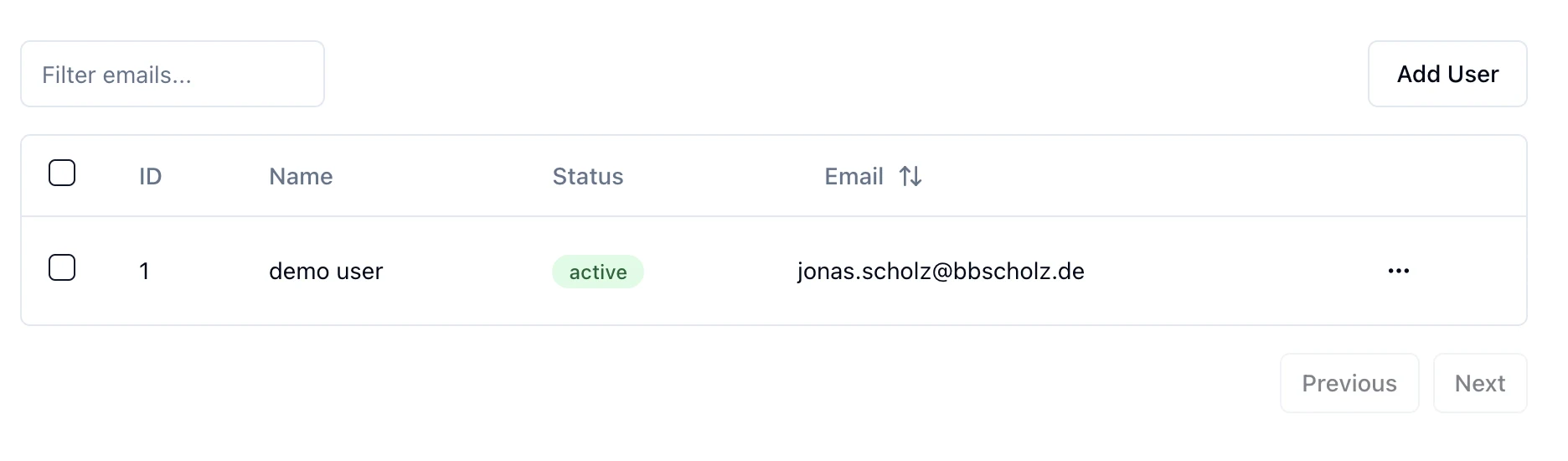
Its server component fetches users from http://api:3000/users. Docker resolves api inside the Compose network. Your browser cannot resolve that hostname; browser-side requests need a public URL or a route that proxies the request.
The UI package contains shadcn/ui components. From the repository root, add another component with:
pnpm ui:add button
Use components you already understand. A new UI library is not useful if learning it takes the time you meant to save.
The database and API
Prisma keeps the database schema and client in a shared package. The API imports that client and exposes routes such as GET /users and POST /users. The original create route passes request data straight to Prisma. That is enough to demonstrate the flow with controlled demo data, but it is not input validation or authentication.
Before using the project beyond a demo, validate requests, add access control, replace the sample credentials, and plan migrations. For the hackathon, keep the data model small enough that you can explain it and recover it quickly.
Why Compose Watch helps
The repository's watch configuration syncs source changes into the running development containers and rebuilds them when package manifests change. A shortened version of the web configuration looks like this:
services:
  web:
    build:
      dockerfile: web.Dockerfile
    ports:
      - "3000:3000"
    develop:
      watch:
        - action: sync
          path: ./apps/web
          target: /app/apps/web
          ignore:
            - node_modules/
        - action: sync
          path: ./packages/ui
          target: /app/packages/ui
          ignore:
            - node_modules/
        - action: rebuild
          path: package.json
        - action: rebuild
          path: ./apps/web/package.json
The API has similar rules. The development servers must still support reloading; syncing a file alone does not restart an arbitrary process. The Compose Watch documentation explains the different actions.
The two Dockerfiles use Turborepo's pruned workspace to install only the packages needed for each app. They then start development commands so changes remain visible during the event. Keep those development images separate from the production image you would build after the hackathon.
Leave time to show the result
A working preview and a prepared template remove setup work. They do not decide what to build. Pick one flow that demonstrates your idea, let a teammate try it, and fix what confuses them before adding more features.
For the presentation itself, I wrote a separate post on why developers lose hackathons. This template gets you to a demo faster; the pitch still needs to explain who it helps.