

5 Awesome Ways to Deploy DocuSeal in 2026
 Atakan Öztarak
Looking for the best way to deploy DocuSeal, the open-source document signing platform? Whether you need a quick setup for production, want full control over your infrastructure, or just need to test locally: there's an option for you.
DocuSeal is a powerful alternative to expensive SaaS solutions like DocuSign and HelloSign. The best part? You have multiple deployment options depending on your needs, budget, and technical expertise.
In this guide, I'll walk you through 5 different ways to deploy DocuSeal, from the simplest one-click deployment to enterprise-grade Kubernetes setups. Want the quick summary? Skip to the comparison table at the end.
Let's dive into each option!
1. Sliplane — The Easy Way
If you want the simplest and most cost-effective way to self-host DocuSeal in production, Sliplane is your answer. Deploy DocuSeal in under 30 seconds with just a few clicks. No server management, no Docker knowledge required.
Here's how fast it is:
Sliplane is a Platform-as-a-Service (PaaS) built on top of Hetzner's infrastructure, giving you the best of both worlds: ease of use and affordable pricing.
How it works:
- Sign up at sliplane.io (free GitHub login)
- Create a server (or use the free 48-hour trial server)
- Click "Deploy Service" → Select the DocuSeal preset
- Done! Your DocuSeal instance is live with automatic HTTPS
| Category | Rating |
|---|---|
| Complexity | Very Easy: No technical knowledge required |
| Price | €9/month flat, no per-signature fees |
| Customizability | Medium: Environment variables, volumes, domains |
Pros:
- ✅ One-click deployment: No Docker or server knowledge needed
- ✅ Fixed pricing: €9/month flat, no surprise bills
- ✅ Automatic HTTPS: SSL certificates handled for you
- ✅ Easy updates: One-click redeploy to update DocuSeal
Cons:
- ❌ No perpetual free tier: 48-hour free trial only
Best for: Developers, startups, and small businesses who want DocuSeal running in production without the DevOps overhead.
2. Self-Hosted on a VPS — The DIY Way
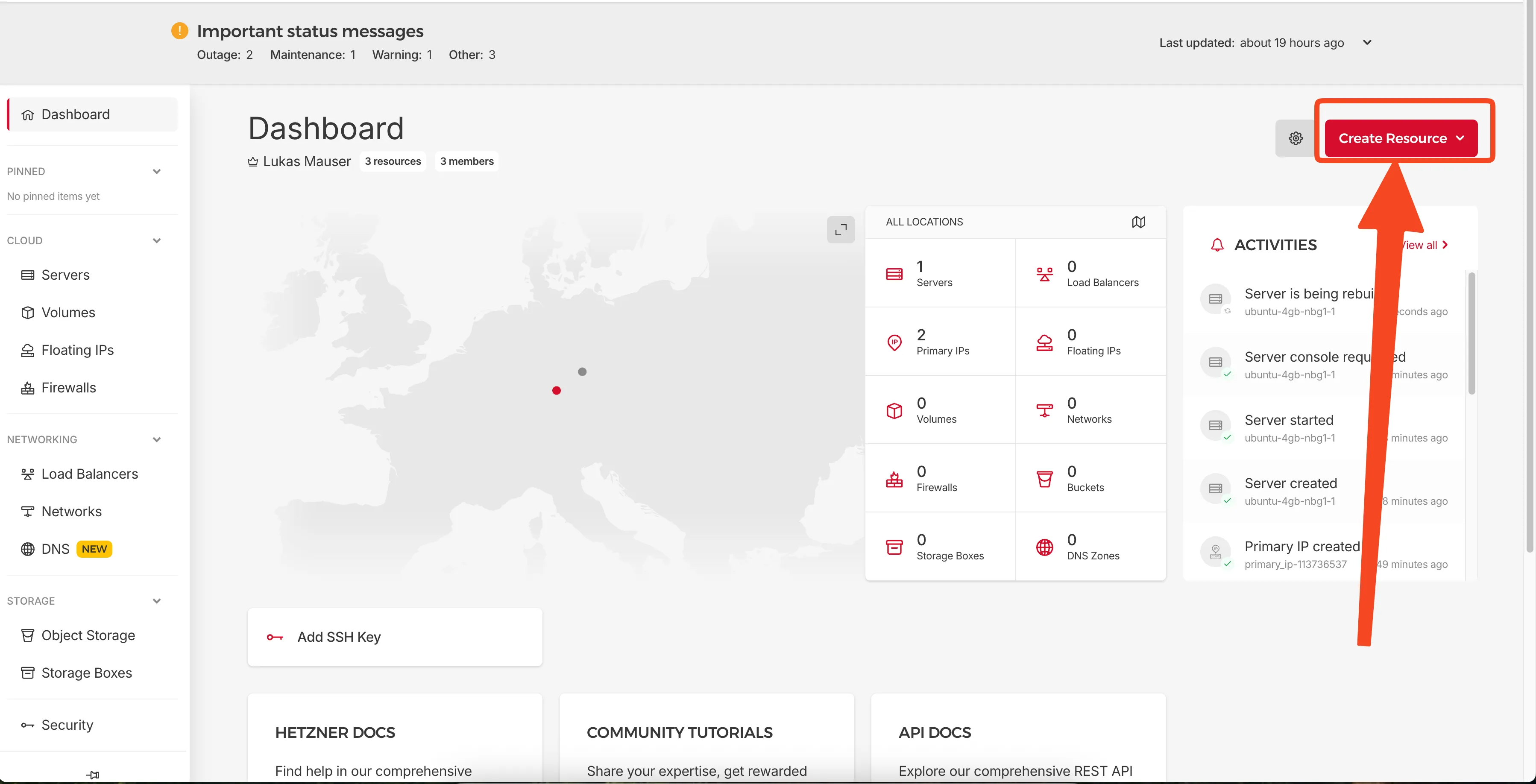
For developers who love full control and want the absolute lowest cost, self-hosting DocuSeal on a Virtual Private Server (VPS) is the way to go. Providers like Hetzner, DigitalOcean, or Linode offer affordable servers where you can run DocuSeal with Docker.
How it works:
- Rent a VPS (e.g., Hetzner CX23 for ~€3/month)
- Install Docker and Docker Compose
- Set up a reverse proxy (Caddy or Nginx) for HTTPS
- Deploy DocuSeal using Docker Compose
- Configure DNS and SSL certificates
We have a complete step-by-step guide with screenshots: Self-hosting DocuSeal on a Hetzner Ubuntu Server
| Category | Rating |
|---|---|
| Complexity | Intermediate: Docker, Linux, networking knowledge |
| Price | €3-10/month (cheapest option) |
| Customizability | High: Full SSH access, any configuration |
Pros:
- ✅ Cheapest option: As low as €3-5/month on Hetzner
- ✅ Full control: SSH access, custom configurations, any OS
- ✅ No vendor lock-in: Move to any provider anytime
- ✅ Learn valuable skills: Great for understanding DevOps
Cons:
- ❌ Manual setup required: Docker, reverse proxy, SSL, firewall
- ❌ You handle everything: Updates, backups, security patches
- ❌ Time investment: Initial setup takes 30-60 minutes
- ❌ Debugging is on you: No support if something breaks
Best for: Developers with Linux/Docker experience who want maximum cost savings and enjoy managing their own infrastructure.
3. Local Development — The Testing Way
Need to test DocuSeal or develop integrations? Running it locally on your laptop is the fastest way to get started. No server needed, no costs involved.
How it works:
# Using Docker (one command!)
docker run -d -p 3000:3000 -v docuseal_data:/data docuseal/docuseal:2.2.9

# Open http://localhost:3000
Or with Docker Compose, create a compose.yml:
services:
  docuseal:
    image: docuseal/docuseal:2.2.9
    ports:
      - "3000:3000"
    volumes:
      - docuseal_data:/data

volumes:
  docuseal_data:
Then run:
docker compose up -d
| Category | Rating |
|---|---|
| Complexity | Easy: Just need Docker installed |
| Price | Free, no hosting costs |
| Customizability | High: Full local control |
Pros:
- ✅ Completely free: No hosting costs
- ✅ Instant setup: One command to start
- ✅ Great for testing: Experiment without consequences
- ✅ Development friendly: Test API integrations locally
Cons:
- ❌ Not for production: Your laptop isn't a server
- ❌ No public access: Others can't access your instance
- ❌ Data loss risk: If you forget to persist volumes
- ❌ Resource usage: Uses your laptop's CPU/RAM
Best for: Developers who want to test DocuSeal, develop integrations, or evaluate features before committing to a hosting solution.
4. Kubernetes — The Enterprise Way
For organizations with existing Kubernetes infrastructure or those needing enterprise-grade scalability and high availability, deploying DocuSeal on K8s is an option.
But before you go down this path: Read our article on why Kubernetes probably isn't for you. For most teams, it's massive overkill. Also check out Docker vs Kubernetes to understand the key differences.
How it works:
apiVersion: apps/v1
kind: Deployment
metadata:
  name: docuseal
spec:
  replicas: 2
  selector:
    matchLabels:
      app: docuseal
  template:
    metadata:
      labels:
        app: docuseal
    spec:
      containers:
      - name: docuseal
        image: docuseal/docuseal:2.2.9
        ports:
        - containerPort: 3000
        volumeMounts:
        - name: docuseal-data
          mountPath: /data
      volumes:
      - name: docuseal-data
        persistentVolumeClaim:
          claimName: docuseal-pvc
---
apiVersion: v1
kind: Service
metadata:
  name: docuseal
spec:
  selector:
    app: docuseal
  ports:
  - port: 80
    targetPort: 3000
  type: ClusterIP
You'll also need:
- Persistent Volume Claims for data storage
- Ingress controller for HTTPS
- Optionally: PostgreSQL deployed separately for scalability
| Category | Rating |
|---|---|
| Complexity | Very Complex: K8s expertise required |
| Price | $70-200+/month (managed K8s clusters aren't cheap) |
| Customizability | Very High: Full infrastructure control |
Pros:
- ✅ High availability: Multiple replicas, auto-healing
- ✅ Enterprise-ready: Fits into existing K8s workflows
- ✅ Infrastructure as code: GitOps-friendly deployments
Cons:
- ❌ Massive overkill for most — You probably don't need this
- ❌ Complex setup: Requires K8s expertise
- ❌ Expensive: Managed K8s clusters aren't cheap
- ❌ Operational overhead: More moving parts = more things to break
Best for: Large enterprises with dedicated DevOps teams who already run Kubernetes and need to integrate DocuSeal into their existing infrastructure.
5. DocuSeal SaaS — The Official Cloud
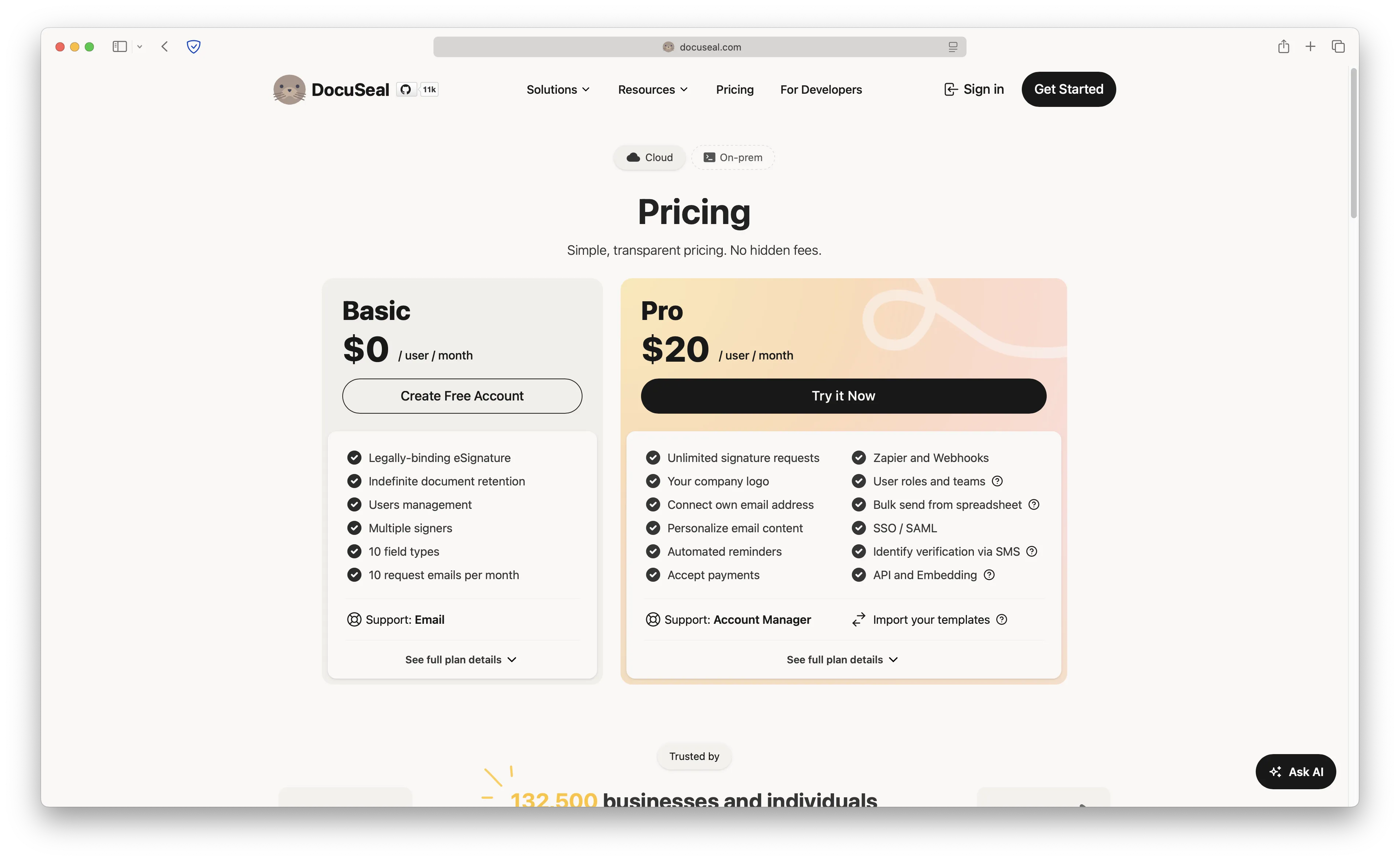
Don't want to self-host at all? DocuSeal.com offers their own managed cloud service. They handle everything: hosting, updates, backups, and support.
How it works:
- Sign up at docuseal.com
- Choose a plan
- Start creating and sending documents
| Category | Rating |
|---|---|
| Complexity | Very Easy: Just sign up and use |
| Price | $13+/month per user (most expensive option) |
| Customizability | Low: Limited to what they offer |
Pros:
- ✅ Zero maintenance: DocuSeal team handles everything
- ✅ Official support: Direct help from the creators
- ✅ Always up-to-date: Automatic updates with latest features
- ✅ Free tier available: Limited free plan for testing
Cons:
- ❌ Most expensive option: Paid plans start at $13/month per user
- ❌ Per-user pricing: Costs scale with team size
- ❌ Data on their servers: Less control over data residency
- ❌ Usage limits: Document limits on lower tiers
Best for: Teams who don't want any technical responsibility and are okay paying premium prices for a fully managed experience with official support.
Comparison Table
Here's a quick summary to help you choose:
| Feature | Sliplane | VPS (Self-Hosted) | Local | Kubernetes | DocuSeal SaaS |
|---|---|---|---|---|---|
| Complexity | Very Easy | Intermediate | Easy | Very Complex | Very Easy |
| Setup Time | 30 seconds | 30-60 minutes | 1 minute | Hours/Days | 5 minutes |
| Monthly Cost | €9+ | €3-10 | Free | $70-200+ | $13+/user |
| Customizability | Medium | High | High | Very High | Low |
| Maintenance | Managed | You handle it | N/A | You handle it | Managed |
| HTTPS/SSL | Automatic | Manual setup | N/A | Manual setup | Automatic |
| Updates | One-click | Manual | Manual | Manual | Automatic |
| Scalability | Good | Manual | N/A | Excellent | Good |
| Data Control | Your server | Full control | Full control | Full control | Their servers |
| Best For | Most users | DIY enthusiasts | Testing | Enterprises | Non-technical |
Which Should You Choose?
Let me make it simple:
- Want the best balance of ease and cost? → Sliplane: One-click deploy, €9/month, no DevOps needed
- Want the absolute cheapest option? → VPS Self-Hosting: €3-5/month, but you manage everything
- Just want to test it out? → Local Docker: Free, instant, no commitment
- Running a large enterprise with K8s? → Kubernetes: Only if you already have the expertise
- Don't want to touch any infrastructure? → DocuSeal SaaS: Pay premium for zero maintenance
For 90% of users, Sliplane offers the best value: production-ready deployment in 30 seconds, predictable pricing, and zero server management. You get the cost benefits of self-hosting without the headaches.
Cheers, Atakan

